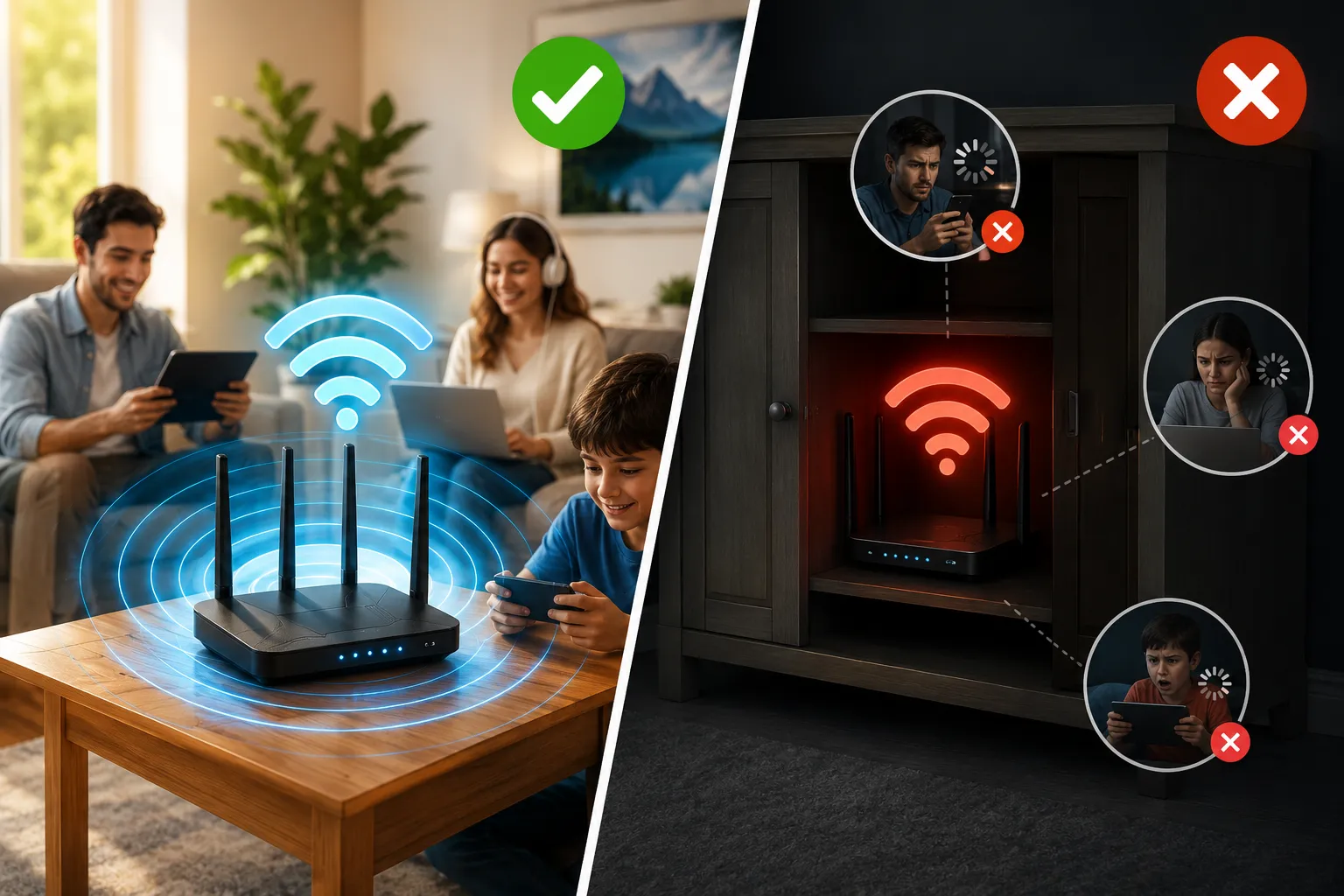
Many people assume that slow streaming, buffering, or poor video quality are always caused by a slow internet connection. However, in many cases, the real problem is much closer to home—your router placement.
Modern streaming services rely on a stable and consistent network connection to deliver high-quality video and audio. Even if you pay for a fast broadband plan, a poorly positioned router can reduce performance and negatively impact your viewing experience.
Whether you watch movies, live sports, TV shows, or on-demand content, understanding how router placement affects TV Streaming Quality can help you get the most from your home network without spending money on a faster internet package.
In this guide, you’ll learn how Wi-Fi signals work, common router placement mistakes, and practical tips to improve streaming performance throughout your home.
What Is Streaming Quality?
Streaming Quality refers to how smoothly and clearly digital content is delivered to your device. A high-quality streaming experience typically includes:
- Sharp video resolution
- Minimal buffering
- Stable playback
- Clear audio
- Fast loading times
- Consistent picture quality
Several factors influence streaming quality, including internet speed, network congestion, device performance, and Wi-Fi signal strength. Among these, router placement is often overlooked despite having a significant impact.
How Wi-Fi Signals Affect Streaming Performance
Your router sends data wirelessly to devices throughout your home. These signals travel through the air and can be weakened by various obstacles.
Common signal blockers include:
- Walls
- Floors and ceilings
- Large furniture
- Mirrors
- Metal objects
- Household appliances
As Wi-Fi signals weaken, streaming devices may struggle to receive data consistently. This can result in buffering, reduced video quality, or playback interruptions.
Why Router Placement Matters for Streaming Quality
Stronger Signals Mean Better Streaming
The closer your streaming device is to the router, the stronger the Wi-Fi signal tends to be. Strong signals allow data to travel more efficiently, helping maintain smooth video playback.
When a device is located far from the router, signal strength decreases, increasing the likelihood of:
- Buffering
- Video quality drops
- Connection interruptions
- Slow loading times
For households that regularly stream HD or 4K content, maintaining a strong signal is especially important.
Distance Reduces Performance
Wi-Fi signals naturally weaken as they travel farther from the router. Even in homes with high-speed internet plans, distance can create performance issues.
For example:
Home A
- Router located near the living room TV
- Minimal obstacles between router and device
Home B
- Router hidden in a cabinet
- Multiple walls between router and TV
Although both homes may have the same internet speed, Home A will likely enjoy a significantly better streaming experience.
Common Router Placement Mistakes
Hiding the Router Inside Cabinets
Many homeowners place routers inside cabinets or entertainment units to keep them out of sight.
Unfortunately, enclosed spaces can block Wi-Fi signals and reduce coverage.
Problems include:
- Poor signal strength
- Reduced network range
- Increased device overheating
For optimal performance, routers should be placed in open areas whenever possible.
Positioning Near Metal Objects
Metal surfaces can interfere with wireless signals by reflecting or absorbing radio waves.
Examples include:
- Filing cabinets
- Metal shelving
- Refrigerators
- Large appliances
Keeping your router away from metal objects can improve signal distribution throughout the home.
Placing the Router Behind the TV
Televisions and entertainment systems contain electronic components that may interfere with wireless signals.
This setup often leads to:
- Reduced Wi-Fi efficiency
- Signal instability
- Lower streaming performance
Instead, position the router several feet away from large electronics.
Keeping the Router in a Corner
Many internet installations place routers near entry points where broadband lines enter the home.
While convenient, corner placement often limits signal coverage.
A router located in one corner must transmit signals across the entire home, making it harder to provide consistent coverage.
Best Router Placement for Better Streaming Quality
Place the Router in a Central Location
A central location allows Wi-Fi signals to spread more evenly throughout the house.
Benefits include:
- Better overall coverage
- Fewer dead zones
- Improved streaming performance
Ideally, place the router near the area where streaming devices are most frequently used.
Elevate the Router
Wi-Fi signals generally spread downward and outward.
Placing the router on:
- A shelf
- A desk
- A wall mount
can improve coverage compared to placing it directly on the floor.
Keep the Area Around the Router Clear
Avoid surrounding the router with:
- Boxes
- Books
- Decorative objects
- Electronics
An open environment helps signals travel more freely.
Understanding 2.4 GHz and 5 GHz Networks
Most modern routers support both 2.4 GHz and 5 GHz wireless bands.
2.4 GHz
Advantages:
- Longer range
- Better penetration through walls
Disadvantages:
- Slower speeds
- More interference from other devices
5 GHz
Advantages:
- Faster speeds
- Better for HD and 4K streaming
- Less congestion
Disadvantages:
- Shorter range
If your streaming device is relatively close to the router, connecting to the 5 GHz band can often improve performance.
How Multiple Devices Impact Streaming
Today’s connected homes contain numerous devices sharing the same network.
These may include:
- Smartphones
- Tablets
- Smart TVs
- Gaming consoles
- Smart speakers
- Security cameras
- Laptops
When many devices use bandwidth simultaneously, network performance can suffer.
A well-positioned router helps distribute signals more effectively and reduces the impact of network congestion.
Should You Use Ethernet Instead of Wi-Fi?
While Wi-Fi offers convenience, a wired Ethernet connection remains the most reliable option for streaming.
Benefits of Ethernet include:
- Consistent speeds
- Lower latency
- Reduced interference
- More stable connections
If your TV or streaming device is located near the router, connecting via Ethernet can significantly improve streaming quality.
Mesh Wi-Fi Systems for Larger Homes
In larger homes, a single router may not provide adequate coverage.
Mesh Wi-Fi systems use multiple access points to create a seamless wireless network.
Advantages include:
- Better coverage across multiple rooms
- Fewer dead zones
- Improved streaming stability
- Easier roaming between areas
For households with several streaming devices spread throughout the home, mesh systems can be a worthwhile investment.
Video Compression and Streaming Efficiency
Network performance is only one part of the streaming experience. Modern streaming platforms also rely on advanced video compression technologies to deliver high-quality content efficiently.
Compression reduces the amount of data required without significantly affecting picture quality. This allows users to enjoy smoother playback even on moderate internet connections.
To learn more, read our guide on advanced streaming compression technologies:
Modern Streaming Services and Compression Technologies
Understanding how compression works can help explain why some services perform better than others under similar network conditions.
Streaming on Tablets Requires Strong Wi-Fi Coverage
Streaming is no longer limited to televisions. Many viewers now watch content on tablets and mobile devices throughout their homes.
Because tablets move between rooms, they are often more affected by weak Wi-Fi coverage than stationary devices.
If you’re interested in optimizing streaming on portable devices, check out:
Watch TV on a Tablet Sweden – Complete Guide
This guide covers practical tips for improving viewing experiences on tablets and other mobile screens.
Signs Your Router Placement Is Hurting Streaming Quality
You may have a router placement problem if you notice:
Frequent Buffering
Videos pause repeatedly despite having a fast internet connection.
Automatic Quality Drops
Streaming services reduce video resolution to compensate for unstable network conditions.
Weak Performance in Certain Rooms
Streaming works well near the router but poorly elsewhere.
Problems with 4K Content
High-resolution video requires a stable connection. Weak signals often become more noticeable during 4K streaming.
Quick Checklist to Improve Streaming Quality
Use the following checklist to optimize your setup:
- Place the router centrally
- Keep the router in an open area
- Avoid cabinets and enclosed spaces
- Elevate the router above floor level
- Keep it away from metal objects
- Use the 5 GHz band when possible
- Connect key devices using Ethernet
- Consider a mesh system for larger homes
- Update router firmware regularly
- Minimize unnecessary network traffic
These simple adjustments can often deliver noticeable improvements without requiring a broadband upgrade.
Conclusion
Improving Streaming Quality is not always about purchasing faster internet. In many cases, router placement plays a crucial role in determining how effectively your network delivers content to your devices.
A centrally located router, free from physical obstructions and positioned correctly, can significantly reduce buffering, improve video quality, and create a more reliable streaming experience. Combined with smart network management, modern Wi-Fi technology, and efficient video compression, proper router placement helps ensure smooth and enjoyable streaming throughout your home.
As streaming continues to become a central part of digital entertainment, optimizing your home network remains one of the simplest and most cost-effective ways to enhance performance.
Frequently Asked Questions
Router placement influences Wi-Fi signal strength, which directly impacts buffering, video quality, and connection stability.
A central, elevated, and open location typically provides the best wireless coverage.
Yes. The 5 GHz band generally offers faster speeds and better performance for HD and 4K streaming when devices are nearby.
Yes. Thick walls and other physical obstacles can weaken Wi-Fi signals and reduce streaming performance.
If you have a large home or experience weak signals in multiple rooms, a mesh system can improve coverage and streaming reliability.